
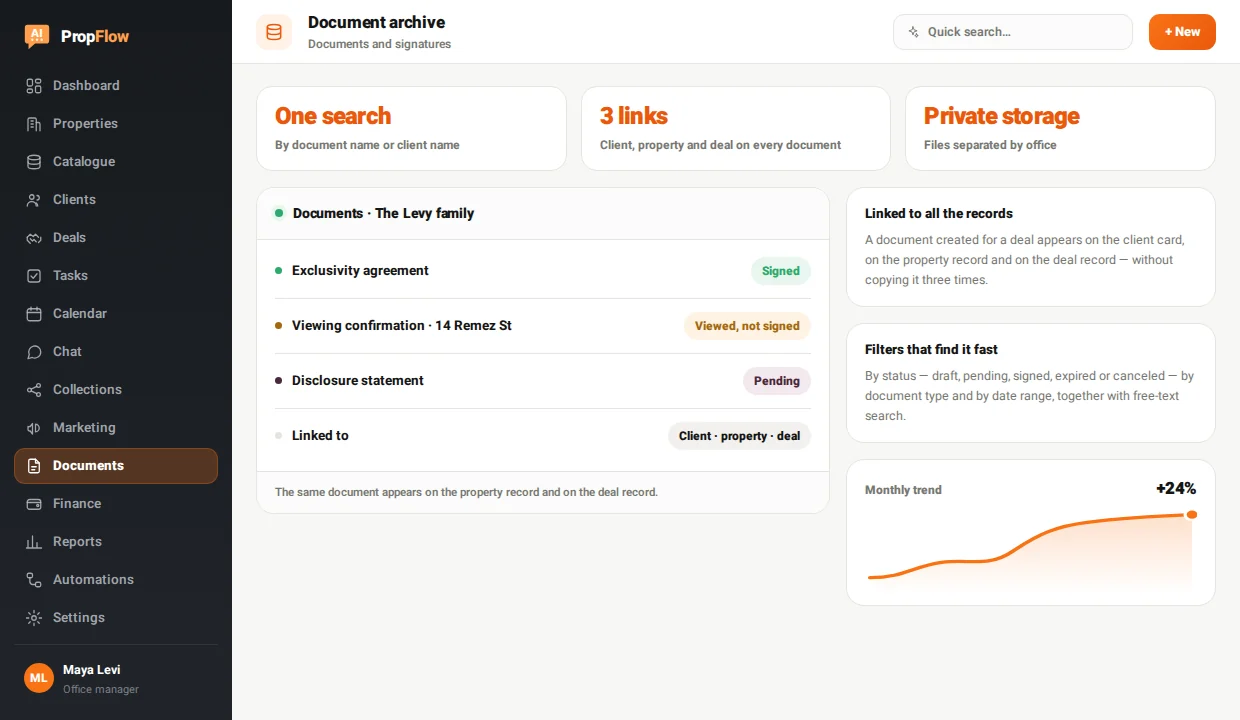
Linked to all the records
A document created for a deal appears on the client card, on the property record and on the deal record - without copying it three times.
Every document is where you went looking for it
Every document in the system sits on the client, and on the property and the deal as well when they are relevant - so it appears on each of their records, not just in one list. In the document list you filter by status, type and date, or simply search by document name or client name. The copies themselves are held in private storage separated by office.
The same document appears on the property record and on the deal record.
Every document is linked to a property, client and deal, and can be found with one search.
A document created for a deal appears on the client card, on the property record and on the deal record - without copying it three times.
By status - draft, pending, signed, expired or canceled - by document type and by date range, together with free-text search.
A separate view for documents a client opened but didn't sign, and a counter at the top of the screen showing how many are waiting for a signature right now.
The signed PDF is kept and opens from the document itself, next to the signature audit trail - when it was sent, when it was viewed and when it was signed.
On the property record the documents are kept apart: what you can show a client on one side, what stays internal to the office on the other, so they never get mixed up by accident.
By default an agent sees their own documents, and a broader viewing permission can be set for a manager or for whoever you choose. Every change of status is written to the activity log.
From a template or from a file you uploaded, with the client - and the property and the deal if you need them.
Draft, sent, viewed, signed or expired - following what actually happened, with no manual update.
By name, client, type, status or date - or simply open the property record.
The signed copy opens from the document, and the signature trail stays beside it for reference.
In private cloud storage, on a path separated by office - not in a downloads folder and not in an inbox. A file is reached through the system and according to the permissions, not through a public link doing the rounds.
Not by default - an agent sees the documents they are responsible for. A broader viewing permission can be set for an office manager or for another role you choose, on the permissions screen.
Yes. You can upload an existing PDF and link it to the client, the property and the deal, and decide on the property record whether it is a document you can show clients or an internal one.
Your data stays yours. You can cancel at any time, and the documents - including the signed files - are available to download; we will help you export everything in good order.
Every module sits on the same record - what goes into one shows up in the next.
14-day free trial with credit card verification. Billing starts only when the trial ends, and you can cancel before the first charge.
To all 37 modules